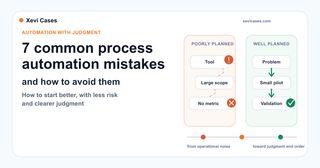
Why some automations promise a lot and end up helping little
Process automation does not always fail because the technology is bad. Often the workflow runs, the demo looks good, but a few weeks later the team is back in email, Excel, or "I'll just handle it myself".
Well designed, automation can save time, reduce errors, and keep the same task from being handled differently every time. But if it starts in the wrong place, it can create more work than it saves.
The problem is not usually just technical. I have seen technically well-built automations that helped very little because no one had properly defined the exceptions, the validation, or the way to measure the result. The tool may work, and the result may still fail to fit the reality of daily work.
That is why automation should be treated as an operational decision, not as a tool purchase. Before talking about connectors, AI, or platforms, you need to understand what happens today, what should improve, and how you will know whether it has actually improved.
If you are still deciding where to begin, this guide to repetitive tasks you can automate today can help you spot good candidates. This article is the next step: once you have identified an automation opportunity, which mistakes should you avoid so it does not turn into more work, more noise, or more complexity?
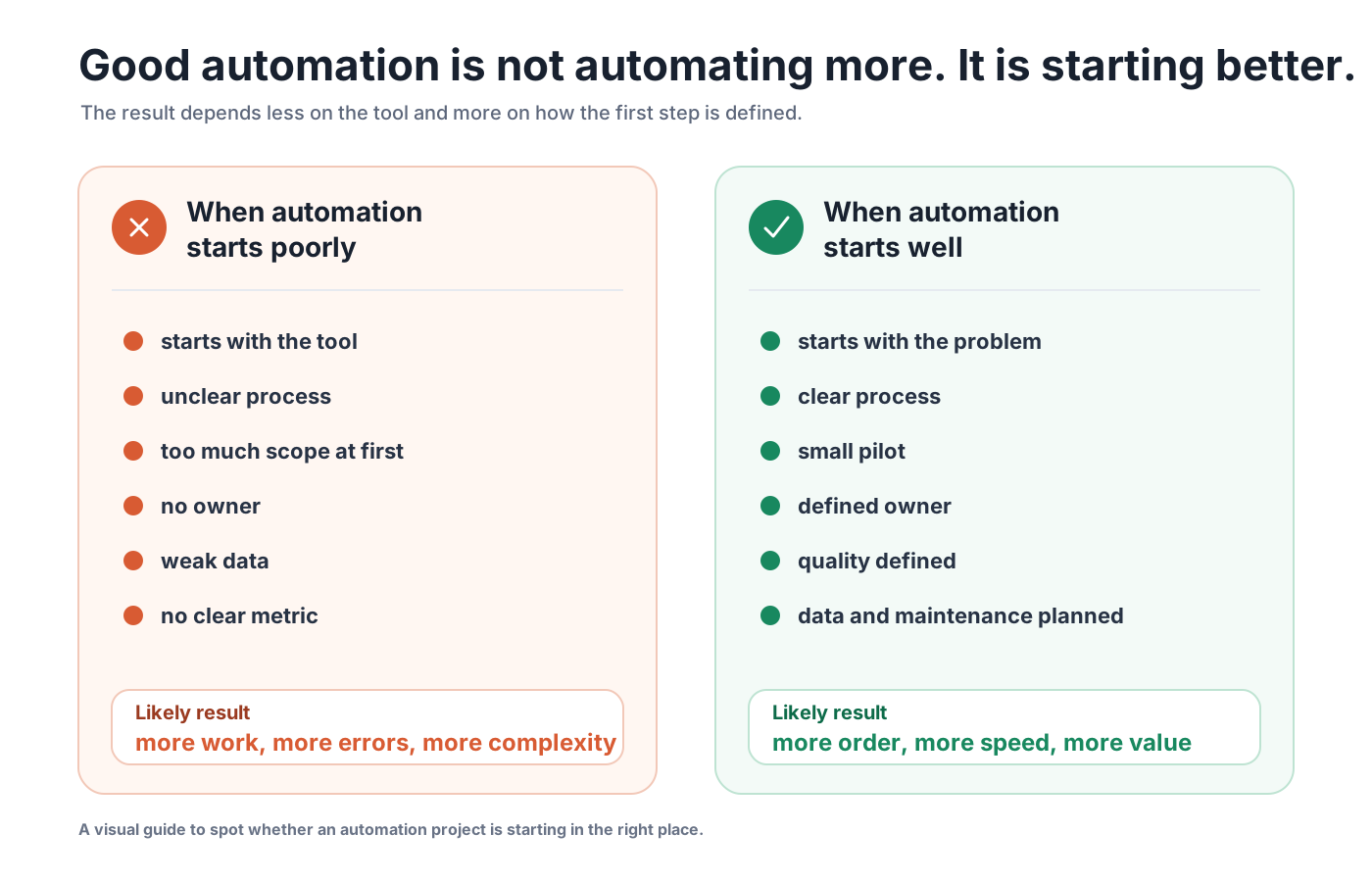
1. Starting with the tool before properly understanding the process
It is tempting to start by asking "which tool should we use?". Make, n8n, Zapier, Airtable, a CRM, an AI assistant, or a custom integration. But that question comes too early if it is still unclear which problem needs to be solved.
When you start with the tool, the project takes the shape of the available features, not the shape of the real problem. That can lead to automations that are technically correct, but not very useful day to day.
Before choosing technology, describe the current workflow with some precision:
- what event starts the process
- what data comes in
- who makes decisions
- which steps are repetitive
- where errors or waiting time appear
- what result the team needs
So before choosing a tool, it is worth asking a simpler question: which specific part of our work do we want to improve, and why now?
2. Automating a process that is not well defined yet
Automation does not automatically fix a messy process. Often it amplifies the problem, precisely because it moves it forward faster.
If today the process depends on criteria that only live in someone's head, undocumented exceptions, or information spread across emails, spreadsheets, and conversations, the automation will inherit that fragility. The system will not know when an exception matters, which version is reliable, or which criterion should take priority.
Before automating, it helps to do a minimal cleanup:
- identify the reliable version of the data or documents
- write down the main decision rules
- separate normal cases from exceptions
- decide when human review is required
- remove steps that no longer add value
This part does not shine as much as building the workflow, but it is often what separates an interesting demo from an automation the team actually uses.
3. Trying to automate too many things at once
A very common mistake is to find a real opportunity and immediately try to add too many things to it.
What started as "classify incoming requests" starts taking on a life of its own: email, CRM, support, billing, internal documents, and automatic replies for every team. On paper, it sounds powerful. In practice, every piece adds dependencies, exceptions, and risk.
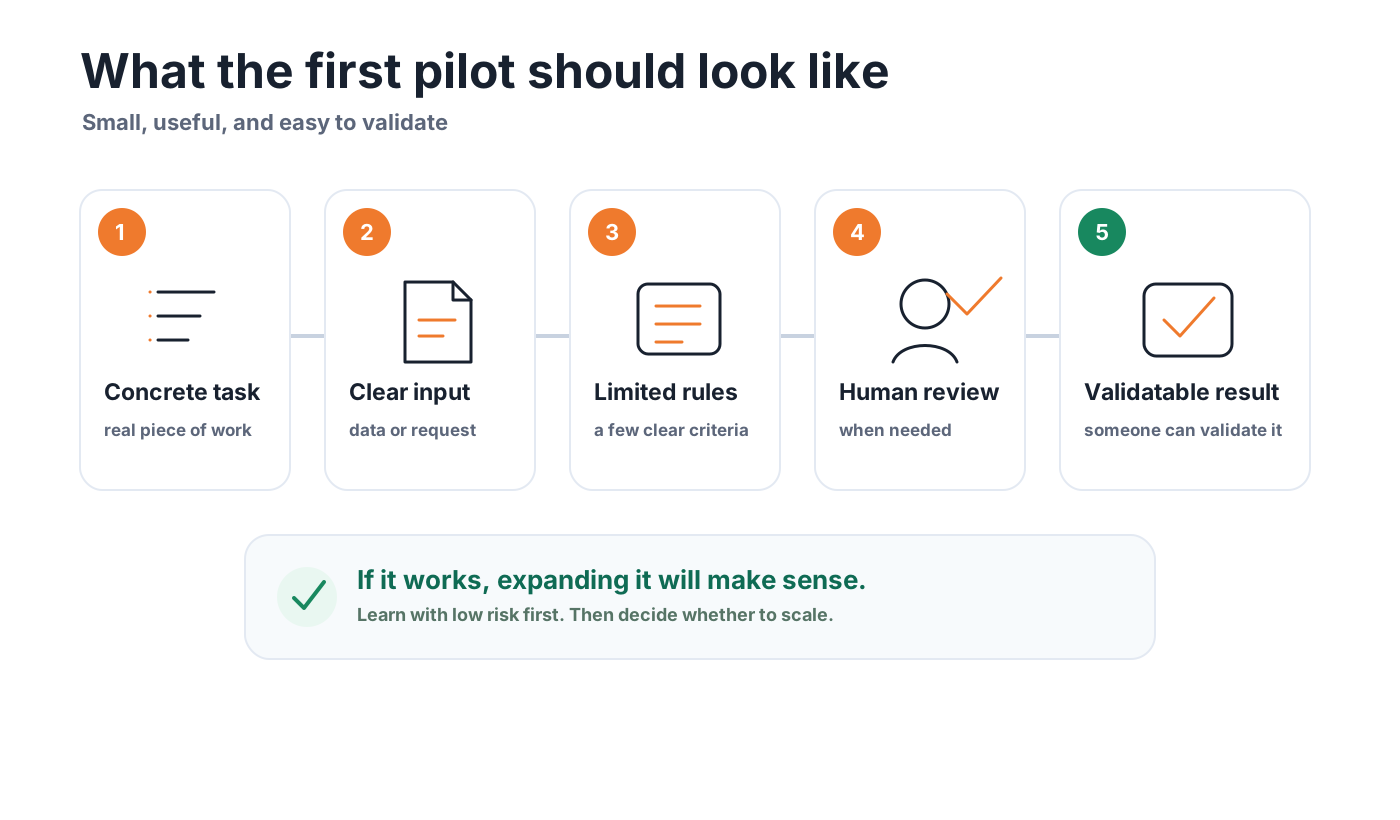
The first workflow should have a small but useful scope. A clear input, a limited set of rules, one specific channel, and a result someone can validate. If it works, expanding it will make sense. If it does not, you will have learned before making a large investment.
This is the same criterion that applies when choosing your first AI pilot without losing months: start with what lets you learn and measure, not with what looks most impressive.
A simple test is this: if explaining the first workflow requires drawing half of the company's operating map, it is probably still too big.
4. Having no clear process owner
Many automations end up with no clear owner. The technical team can build them, leadership can sponsor them, but no one who really understands the process takes responsibility for them.
When no one owns it, the process changes but the automation does not know it: new exceptions appear, criteria change, and the workflow keeps applying rules that no longer fit.
That creates very practical problems. Who validates whether the result is correct? Who decides what happens with exceptions? Who checks whether the rules still make sense three months from now? Who listens to user feedback?
Every automation needs a person or team responsible for keeping it aligned with the real process. It does not have to be the person who builds it, but someone who understands the process and can say whether the result is helping or not.
Without that responsibility, the automation can keep working technically while drifting away from what the team needs.
5. Not defining what "good enough" means
Real processes do not always require perfection. But they do require defining what "good enough" means in each case.
Automating an internal reminder is not the same as preparing information for a commercial decision, reviewing sensitive data, or generating a response a customer will read. The level of review, traceability, and caution should change with the risk.
Before putting a workflow into production, define:
- what should happen when information is missing
- which fields are mandatory
- what types of errors are tolerable
- which results require human review
- when the system should stop and ask for help
This matters especially when AI is involved. Just because an answer is well written does not mean it is correct. That is why it is so important to work with clear sources, explicit limits, and validation criteria.
Intelligent automation creates value when it combines speed with judgment. If it only speeds up poorly checked results, risk does not go down: it increases.
6. Forgetting maintenance, data, and permissions
Automation does not maintain itself forever. It needs reliable data, well-controlled permissions, valid credentials, and some maintenance when tools change.
For example: what happens if a column name changes? If someone loses access to a folder? If the CRM modifies a field? If an integration fails for a few hours? If someone duplicates a form and stops using the correct one?
These situations are not exceptions. They are part of daily life for any digital process that depends on several tools.
That is why maintenance should be planned from the beginning:
- who gets notified when something fails
- where the error is logged
- how a task can be run again
- which credentials are being used
- how often rules and access are reviewed
A small automation that is well cared for is usually more valuable than a huge workflow no one knows how to fix when it breaks.
7. Not measuring the process before
If you do not know how the process works today, it will be hard to prove that automation improved it.
Many projects are judged from impressions: "it seems faster now", "the team is happy", "it looks better". That feedback is useful, but it is not enough. You need a few minimum indicators so you can compare.
This does not need to become a complex study. Often, simple measures are enough:
- average time to complete a task
- weekly volume of requests
- percentage of errors or tasks that had to be redone
- response time
- number of manual steps removed
- number of cases that required review
The key is to take a snapshot of the process before changing anything. Without that starting point, it is easy to end up debating opinions instead of results.
How to start with less risk
The safest way to begin is to treat automation as a small, well-bounded pilot.
First, choose one concrete task. Not a whole department, not a global transformation, not "we want to automate sales". A task that repeats often, has a clear input, and creates real friction.
Second, describe the current process without making it look cleaner than it is. Who receives what, what they check, what they copy, what they decide, what they send, and where the work gets stuck.
Third, define a first version of the workflow with boundaries. What it automates, what it leaves out, when it asks for human review, and what happens if something does not fit.
Fourth, measure two or three things before and after. A few useful indicators are better than a dashboard full of data no one reads.
And fifth, schedule a short review after the first few weeks. This is where real learning appears: exceptions, friction, unexpected uses, and small adjustments that can multiply the value.
When to stop or rethink the automation
Not every automation that works is worth maintaining.
If the process changes every week, if the data is unreliable, if no one wants to be responsible for it, or if the expected savings are tiny, it may not be the right moment. Sometimes the better decision is to understand and structure the process more clearly, document criteria, or adjust how the team works before building an automation.
It is also worth stopping when the risk grows more than the value it provides. If saving a little time introduces errors that are hard to detect, fragile dependencies, or responses no one reviews, the result can become expensive.
Automating with judgment also means knowing when to say "not yet".
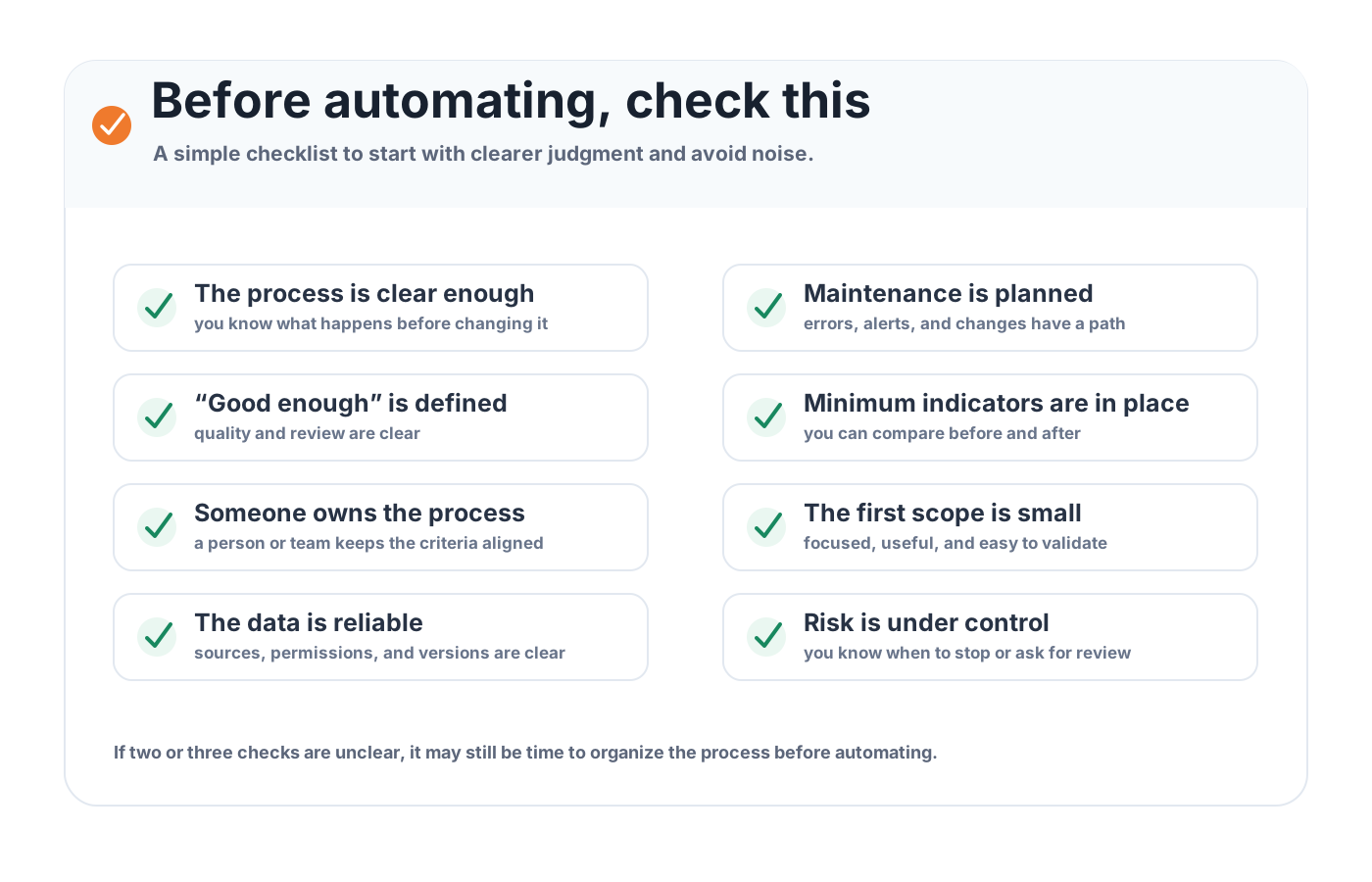
Good automation means making better decisions
A good automation is not just a workflow that runs by itself. It is a real improvement to a specific piece of work.
When the process is clear, the scope is small, the data is reliable enough, there is a person or team responsible, and quality is defined, technology has many more chances to genuinely help. When all of that is missing, automation does not remove disorder. Often it just makes it move faster.
If you are considering process automation and want to identify where to start with clear criteria, you can review the AI and automation services or start a conversation from contact. The first important decision is usually to choose the right problem, not to rush toward the solution.