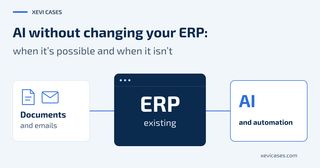
A client asked me whether an integration would mean moving from their on-premises ERP to the cloud version.
I suggested starting with a first phase based on file exchange, keeping the on-premises ERP. For a second phase, we discussed an API: a way for other programs to query data or perform operations in the ERP. With the options available at the time, that would have required moving to the cloud version.
That was a limitation of that particular product at that particular time. Some on-premises ERPs have APIs, and some cloud ERPs have limited integration features.
The short answer is that you don’t necessarily have to replace your ERP or move it to the cloud to get started. But some ERPs offer no integration option that is both usable and authorised. I would first check what yours allows and which work you want to reduce.
Here you’ll find the connection options, five questions for your provider and a calculation to help you decide whether it’s worth it.
An order arrives by email
A fictional example, but perhaps a familiar one: a customer sends a PDF listing three items and adds in the email, “for the second one, twice as many as last time”.
The administrator finds the previous order, checks the quantity and enters the new one. The ERP works. Interpreting the message and preparing the data still takes work.
Automation coordinates the whole process. Integration is the part that communicates with the ERP to query or record data. The flow looks like this:
- Email arrives. The automation collects the message and attachment from the agreed mailbox.
- AI extraction. AI proposes the order data and flags the reference to a previous purchase. It must not treat an ambiguous quantity as resolved.
- Rule-based validation. The automation checks the proposal against the company’s rules and, through the integration, against the ERP catalogue. For example, it detects whether boxes have been confused with individual units or mandatory information is missing. It also checks whether the order has already been recorded.
- Human review. A person confirms what “last time” means, resolves discrepancies and approves the proposal.
- Recording in the ERP. The integration sends the approved data and checks that the order has been recorded. An attempted submission is not the same as a created order.
- Email arrives
- AI extraction
- Rule-based validation
- Human review
- Record in the ERP
Interpreting an order is not the same as validating it or recording it. AI helps with the content of the message. Much of the checking is handled by conventional software.
A demo that reads a PDF correctly demonstrates one part of the process. You still need to see whether the order reaches the ERP correctly and what happens when something fails.
Ways to connect the ERP
The right approach depends on what you want to do. Reading a catalogue once a day is different from recording orders immediately.
An API allows automated queries or data entry, depending on the operations available. Check what it allows and with which permissions. If the ERP offers a ready-made connector, from the provider or a third party, check that it covers your process and who maintains its compatibility.
File exchange is another option, and it is the one I suggested to the client at the start. It lets you begin with a limited step: a person reviews the prepared file before authorising its import into the ERP. It is particularly suitable when you can work in batches. Before choosing it, check whether it requires other manual steps and how errors are detected when a format changes or a file is missing.
Files, API and connector are options depending on the situation, not successive stages. Lines show possible connections without specifying direction.
Available options depend on the ERP, version and permissions.
Five questions for the providers involved
Before budgeting for the integration, ask for specific answers:
- What can we query and record from outside the ERP? Ask for documentation and confirm the operations your process needs.
- What does this access cost, and what are its limits? Ask whether additional modules or licences are required and whether there are volume limits. Also check whether the contract allows third-party access.
- What happens when the ERP is updated? Who communicates changes, where can they be tested and who adapts the integration?
- Who takes responsibility for an incident? Agree in writing who diagnoses the problem and who resolves it. Divide responsibilities between the ERP provider, the automation provider and your team.
- What data does each service handle, and where is it processed? Ask whoever is responsible for the automation to describe how the data moves through the process. Check with the ERP and AI providers what is retained, who has access and under what conditions.
An order can contain personal data, such as the name and email address of the person placing it. Include a privacy and GDPR compliance review before sending real data to the chosen services.
When it isn’t possible, isn’t worth it or should wait
It isn’t possible under the current conditions. The ERP offers no option compatible with the operation you need, or the available access is not authorised. With an undocumented custom ERP or an old, unsupported version, first investigate which options remain available.
It isn’t worth it. Volumes are low, or each order involves so much negotiation that there is little repetitive work left to reduce. Giving customers an order template that reduces ambiguity when reading their emails may be more worthwhile.
It should wait. The catalogue has duplicate references, nobody takes responsibility for support, or there is no way to recover partially processed orders. I would resolve these points first.
When there is no viable way to record data, you can consider more limited assistance: preparing it for a person to enter. This option also needs its own calculation.
Replacing the ERP and moving the same product to the cloud are different decisions, but both can involve a migration. I would start with the least costly approach that solves the process. If an API justifies moving to the cloud because the return outweighs the cost and risk, it makes sense to consider it. In the case at the start, the file-based proposal allowed for a first phase without taking that step.
Putting numbers to the decision
Just because it can be done doesn’t mean it’s worth doing.
Take 600 orders a month that currently require 6 minutes each: 60 hours of work. Let’s compare two scenarios using fictional figures to explain the calculation. These are neither XC AI Solutions prices nor client results.
On smaller screens, scroll the table horizontally to compare both scenarios.
| Item | Higher-savings scenario | Cautious scenario |
|---|---|---|
| Average time with automation, including review and exceptions | 2 min/order | 4 min/order |
| Hours freed up per month | 40 h | 20 h |
| Value of the capacity, assuming €25/h | €1,000/month | €500/month |
| Total hypothetical recurring cost | €250/month | €250/month |
| Estimated net monthly value | €750 | €250 |
| Hypothetical initial investment | €6,000 | €6,000 |
| Simple payback based on the estimated value | 8 months | 24 months |
The €25/h is an internal valuation assumption. Replace it with the fully loaded hourly labour cost or a defensible value for the capacity recovered. Also use an actual quote for implementation and recurring costs, including tools and support.
The calculation is: hours actually freed up × hourly value − recurring costs. If the result is positive, divide the initial investment by that result to estimate the payback period based on that value, excluding financing and the time needed to get started.
If the hours freed up fall by half, payback goes from 8 to 24 months: it triples, because the recurring cost stays the same. That is why I would measure review time using real orders before deciding.
Freeing up hours does not automatically mean saving money. If staffing costs stay the same, the benefit may be handling more orders, reducing overtime or spending time with customers. You need to know how you will use that capacity.
During the trial, also count the time spent correcting errors and handling incidents. If that work eats up the savings, the approach needs revisiting.
A first trial without writing to the ERP
Start by generating proposals without writing to the ERP, using test data or an authorised sample. Compare them with the manual work and note what a person needs to correct.
If the results are good, allow orders to be recorded for a narrowly defined order type, always with human approval: a misread quantity could lead to an incorrect shipment or invoice.
Measure total minutes per order, including review, the corrections needed, cases with exceptions and orders that fall outside the scope. With this data, you will know how much work you reduce and how much the team still handles.
Before expanding, check that the team knows what is pending and can keep working when the integration fails.
Starting with a limited workflow lets you check what works and how much work you reduce before deciding on a migration. The first step is a process assessment that reviews the integration options and the numbers.
If you want to assess this for your business, write to me using the contact form and tell me which ERP you use and which task repeats most often. With this context, we can see whether it makes sense to move towards an automation assessment.